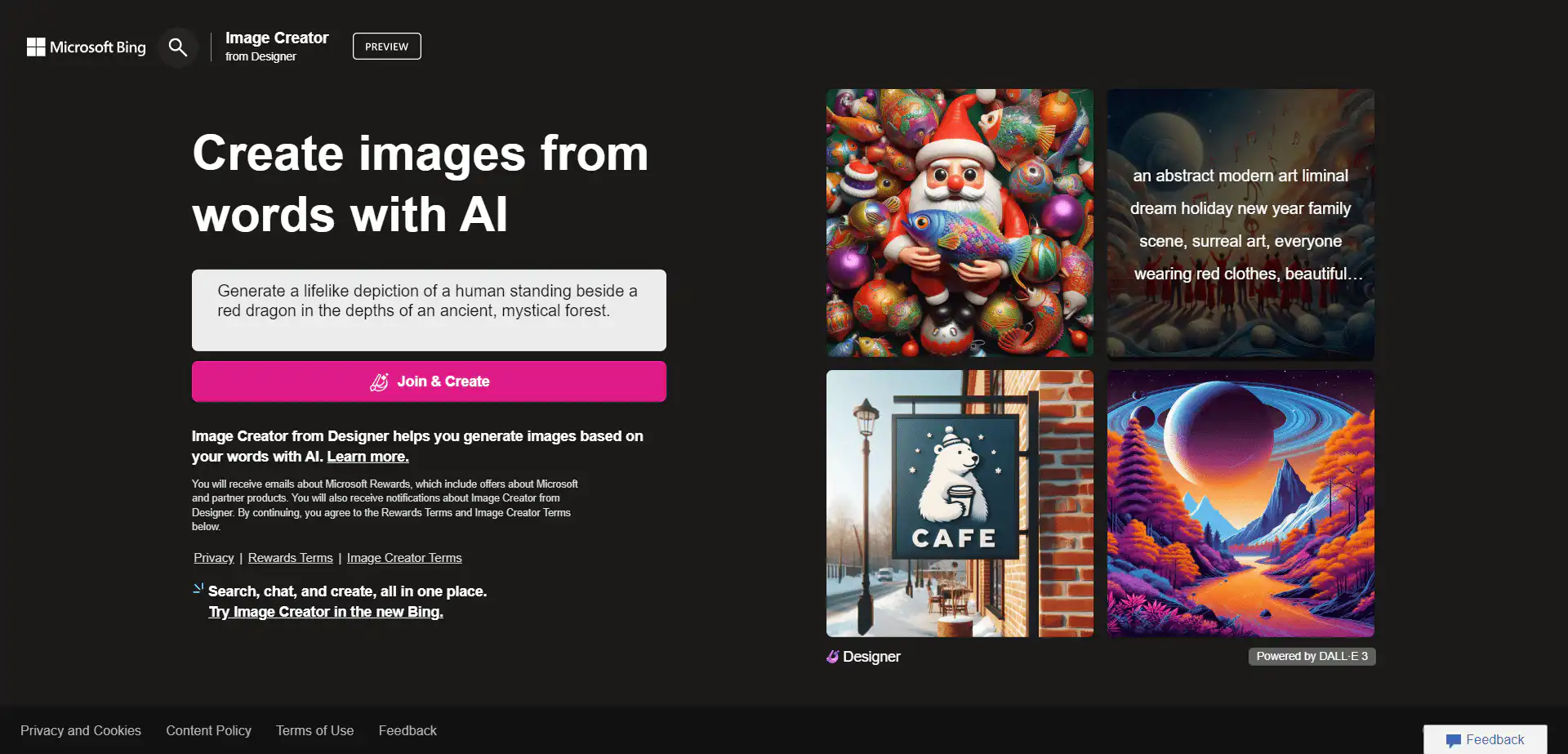
In the age of AI-driven marketing, businesses are constantly on the lookout for tools that enhance creativity and streamline content creation. Bing AI Image Creator, powered by DALL-E from OpenAI, is one such tool that marketers are embracing to produce high-quality, unique visuals quickly and easily. In this article, we'll dive into how to use Bing AI Image Creator for marketing and why it’s worth adding to your digital marketing toolkit.
What is Bing AI Image Creator?
Bing AI Image Creator allows users to generate custom images based on text prompts. This tool can be invaluable for marketers who want to create distinct images for social media, blogs, advertisements, and more. The tool's ease of use and ability to produce unique visuals on demand make it a practical option for anyone looking to enrich their marketing content.
Why Use Bing AI Image Creator for Marketing?
- Customized Visuals for Branding
With Bing AI Image Creator, you can generate images that align perfectly with your brand's aesthetics and messaging. Whether you need specific color schemes, themes, or unique imagery, this tool provides flexibility that generic stock photos lack. - Cost and Time Efficiency
Hiring photographers and graphic designers for every visual need can be costly and time-consuming. Bing AI Image Creator offers an affordable alternative for creating high-quality images, which is particularly useful for smaller businesses or those with tight marketing budgets. - Enhanced Engagement on Social Media
Eye-catching visuals are essential for grabbing attention on social media platforms. Using Bing AI Image Creator, you can quickly generate images tailored to specific campaigns, boosting the likelihood of engagement and shares.
How to Get Started with Bing AI Image Creator
- Access the Bing Image Creator
You can access Bing AI Image Creator directly through Bing. - Craft Effective Prompts
To make the most of Bing AI Image Creator, it’s important to create clear and descriptive prompts. For instance, if you need an image for a winter-themed promotion, you might enter “festive winter background with snowflakes and holiday decor.” The tool will use this information to generate a visual tailored to your needs. - Refine and Download
Once the tool generates images, you can refine your prompt to get closer to your vision. When you're satisfied, simply download the image and integrate it into your marketing materials.
Best Practices for Using AI-Generated Images in Marketing
- Stay Consistent with Brand Identity: Ensure the generated images align with your brand's visual guidelines.
- Use Images for Multi-Channel Campaigns: Repurpose images across social media, email newsletters, and blog posts for cohesive campaigns.
- Experiment and Analyze: Test different image styles to see what resonates with your audience, and use analytics to refine your approach.
For additional insights into AI-driven marketing, check out our article on how to use Google Gemini AI for content creation.
How 720 Digital Marketing Can Help
Incorporating AI tools like Bing AI Image Creator into your marketing strategy can set your brand apart. At 720 Digital Marketing, we specialize in leveraging the latest digital tools to enhance your online presence and drive engagement. Visit us at https://www.720digitalmarketing.com/ to learn more about how we can elevate your digital marketing game.
By embracing AI tools like Bing AI Image Creator, your business can create memorable and engaging visuals that drive success in the digital marketplace.
Frequently Asked Questions
What is Bing AI Image Creator and how does it work?
Bing AI Image Creator is a tool powered by DALL-E from OpenAI that generates custom images from text prompts. You describe what you need, and the tool produces unique visuals on demand. It works directly through Bing, with no design software required.
Is Bing AI Image Creator a good option for small businesses?
Yes, it is a practical choice for smaller businesses or those with tight marketing budgets. Hiring photographers and graphic designers for every visual need can be costly and time-consuming, and Bing AI Image Creator offers an affordable alternative for producing high-quality images quickly.
How do I write a good prompt for Bing AI Image Creator?
Write clear, descriptive prompts that spell out exactly what you need. For example, a prompt like 'festive winter background with snowflakes and holiday decor' gives the tool enough detail to generate a relevant visual. The more specific your description, the closer the output will be to your vision.
Can I use AI-generated images across different marketing channels?
Yes, the page recommends repurposing images across social media, email newsletters, and blog posts to build cohesive campaigns. Generating one image for multiple channels saves time and keeps your brand visuals consistent. Testing different styles and tracking results helps you refine what works best for your audience.
How can 720 Digital Marketing help with AI-driven marketing?
720 Digital Marketing specializes in leveraging digital tools like Bing AI Image Creator to enhance your online presence and drive engagement. If you want help building AI-driven marketing into your strategy, you can reach the team at 629-206-7201 or visit the contact page at https://720digitalmarketing.com/contact/.